
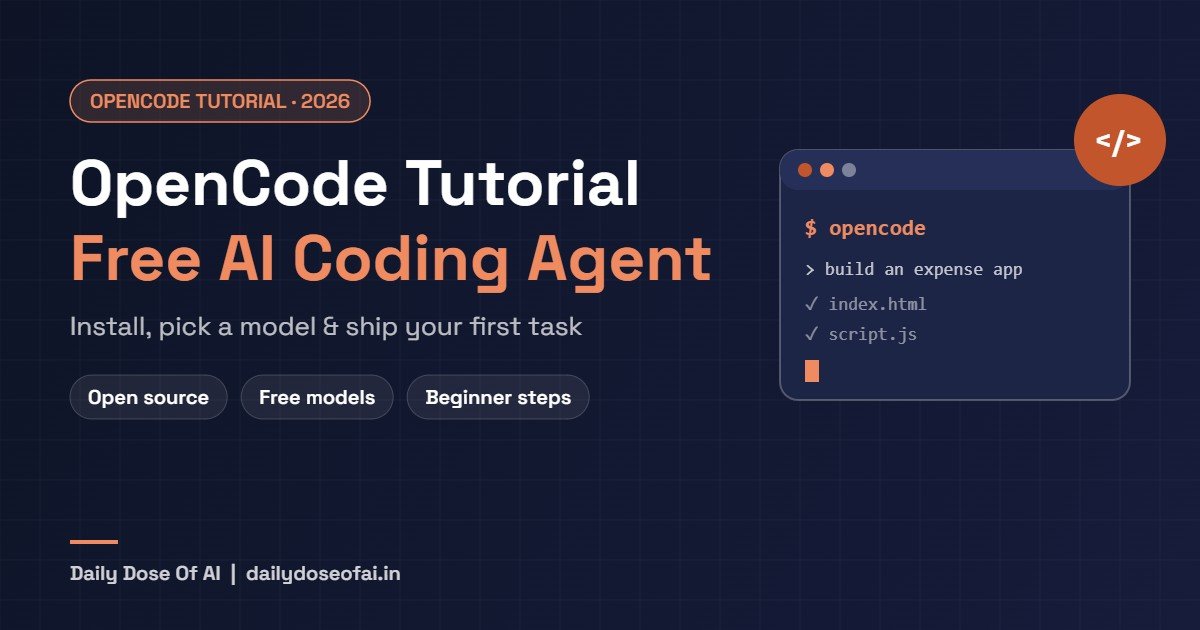
Quick answer: OpenCode is a free, open-source AI coding agent. You type what you want in plain English and it reads your project, writes code and runs commands. It works in the terminal, as a desktop app and on the web. It comes with a few free models, so you can start without paying anything, and later connect Claude, GPT or Gemini if you want stronger models. This guide covers install, your first task and the mistakes beginners make.
If you have tried our Claude Code tutorial, OpenCode will feel familiar. The big difference: OpenCode is open source and is not tied to one AI company.
What is OpenCode, in plain English?
Think of a coding agent like a sharp junior developer sitting next to you. You say, “Add a login page”, and the junior opens the right files, writes the code, runs it, and shows you what changed. OpenCode is that junior. The “brain” is an AI model you choose. OpenCode is the body that lets the brain read files, edit them and run terminal commands.
Analogy for us in India: OpenCode is like an Ola/Uber app. The app stays the same, but you can choose the car (the AI model): a free auto for small trips, or a premium sedan (Claude, GPT) when the trip matters.
OpenCode vs Claude Code vs Cursor
| OpenCode | Claude Code | Cursor | |
|---|---|---|---|
| Who makes it | Open-source community (Anomaly) | Anthropic | Anysphere |
| Price of the tool | Free | Needs a paid Claude plan or API credits | Free tier + paid plans |
| Models | Any provider + built-in free models | Claude models | Many models |
| Where it runs | Terminal, desktop app, web | Terminal, IDE, desktop, web | Its own editor (VS Code based) |
| Best for | Learning for free, model freedom | Best Claude experience | People who want a full editor |
Step 1: Install OpenCode
OpenCode is now on version 2. Older YouTube videos show version 1 commands. The two versions use the same opencode command and can’t be installed side by side, so follow the official docs.
macOS / Linux (terminal):
curl -fsSL https://opencode.ai/v2/install | bashWindows: the easiest route is the desktop app from opencode.ai/download (x64 and ARM64 builds). Standalone binaries also exist. Note that the v2 docs say Windows package managers (like choco or scoop) are not supported, so ignore older guides that use them.
Check that it works:
opencode --versionStep 2: Pick a model (free or paid)
- Open your project folder in the terminal and run
opencode. - Run
/modelsto see the available models. OpenCode includes a set of free models you can use without an account. The list changes often, so pick any one marked “Free”. - Want Claude, GPT or Gemini? Run
/connect, choose the provider and paste your API key. Keys stay on your machine. - Optional: OpenCode also sells paid plans (for example, “OpenCode Go”), but you don’t need one to learn.
Tip: free models are great for learning. For serious work, connect a stronger model. Read our free LLM API guide for free keys from Gemini, Groq and OpenRouter.
Privacy note: OpenCode says your data is stored when you use its free models. Don’t paste company secrets or client code while using them.
Step 3: Your first real task
Create a practice folder so nothing important can break:
mkdir opencode-practice
cd opencode-practice
opencode
Now type this prompt:
Create a simple expense tracker web page in plain HTML, CSS and JavaScript.
It should let me add an expense with amount (in ₹) and category,
show a running total, and save data in the browser's localStorage.
Explain each file you create.
Watch what happens. The agent plans, creates index.html, style.css and script.js, and explains them. Open index.html in your browser and test it. Then ask for a change: “Add a pie chart of spending by category.”
Build vs Plan: the two modes you must know
- Build is the default agent. It can edit files and run commands. Use it when you want work done.
- Plan explores and plans without editing your project files. Use it first on any real project: “Read this codebase and plan how to add payments.” Review the plan, then switch to Build.
- Behind the scenes there are also helper sub-agents (General for multi-step research and Explore for searching code) that the main agent can call.
Habit that saves hours: Plan first, then Build. It is like discussing the route with the driver before starting the trip.
Connect MCP servers (superpowers)
OpenCode supports MCP, the same open standard Claude uses to connect tools like GitHub, databases and browsers. If you set up MCP for Claude using our MCP server setup guide, the idea is the same here. Add the server in OpenCode’s config and the agent can use those tools too.
5 beginner prompts to try
- Explain: “Explain this project like I’m a fresher joining the team. Which file should I read first?”
- Fix: “This error appears when I run npm start: [paste error]. Find the cause and fix it.”
- Test: “Write tests for the function that calculates GST and run them.”
- Refactor: “This file is 600 lines. Split it into smaller files without changing behaviour.”
- Document: “Write a README with setup steps for a new developer on Windows.”
Notice the pattern: say what you want, give the context (error text, file name) and say how you’ll know it worked. Vague prompts get vague code.
Troubleshooting
- “command not found: opencode”: close and reopen the terminal so your PATH refreshes.
- Old commands from a video don’t work: the video is probably v1. Follow the v2 docs at opencode.ai/docs.
- Free model is slow or busy: switch to another free model with
/models, or connect your own key. - The agent changed the wrong file: always work inside a Git repo (
git init) so you can see and undo every change withgit diffandgit checkout.
Stay safe: 4 rules
- Practise in a test folder first, never on your only copy of a project.
- Read commands before allowing them. An agent can delete files just like you can.
- Never paste API keys into prompts. Use
/connect. - Keep client or company code away from free models unless your company allows it.
FAQ
Is OpenCode really free? Yes. The tool is open source and includes free models. You pay only if you connect a paid provider or buy one of its plans.
Is it better than Claude Code? It’s different. Claude Code gives the most polished Claude experience. OpenCode gives freedom to use any model, including free ones. Many developers use both.
Do I need to know coding? Basic terminal use helps. You can build small projects by describing them, but understanding the code makes you far more effective (and employable).
Does it work on Windows? Yes. Use the desktop app or the Windows binary from the download page.
Your next step
Install OpenCode today and build the ₹ expense tracker above. It takes 15 minutes. Then level up with Building blocks of AI Agents to understand what is happening under the hood.