
What are Claude Skills?
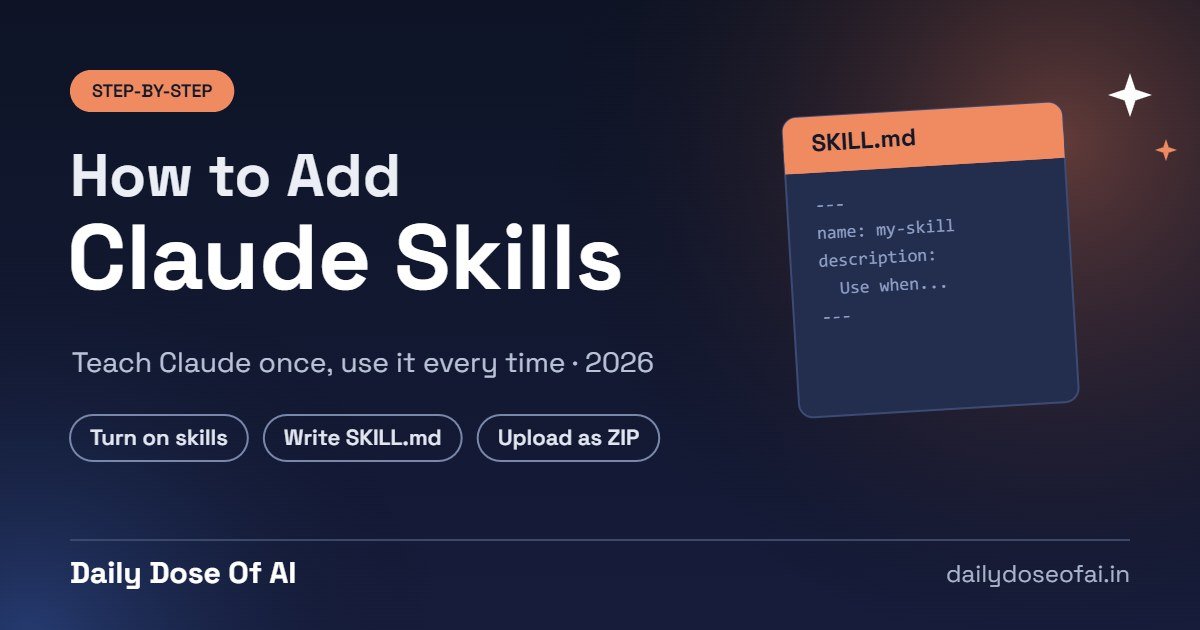
A skill is a folder of instructions that teaches Claude how to do a specific task your way. At its core is a single file, SKILL.md, plus optional scripts and reference files. Claude loads a skill automatically when your request matches the skill’s description (Claude docs).
Think of it as a reusable playbook. Instead of pasting the same long instructions into every chat (“write in my brand voice”, “format reports like this”), you write them once as a skill and Claude applies them whenever they are relevant.
Why this matters for builders: skills are how you turn Claude from a general assistant into a specialist for your workflow. The same format, called Agent Skills, is an open standard (agentskills.io), so what you learn here carries over to agentic AI work beyond the Claude app.
How to add skills in Claude (step by step)
On Free, Pro and Max plans, you can turn on example skills and upload your own from Customize > Skills (Claude Help Center).
Turn on built-in skills
- Open Claude on the web or desktop app.
- Go to Customize > Skills.
- Toggle on the example skills you want, such as the PowerPoint, Excel or PDF skills.
You don’t need to call a skill by name. Claude picks the right one from your request, so asking for “a presentation on Q3 results” uses the PowerPoint skill automatically.
Upload your own skill
- Create a folder with a SKILL.md file inside (next section shows how).
- Compress the folder into a ZIP file.
- Go to Customize > Skills, click +, then + Create skill.
- Choose Upload a skill and select your ZIP.
- Your skill now appears in your list, where you can switch it on or off.
On a Team or Enterprise plan? An admin may need to enable skills first, and skills you upload stay private to your account until you share them.
How to create your own skill (SKILL.md)
A skill needs only one file. The folder can optionally hold scripts/, references/ and assets/ too (Agent Skills spec).
blog-post-writer/
├── SKILL.md          # required
├── references/       # optional: style guides, examples
└── scripts/          # optional: code Claude can run
The two required fields
SKILL.md starts with a short YAML header between --- lines, followed by your instructions in plain Markdown.
- name: lowercase letters, numbers and hyphens only, up to 64 characters, and it can’t contain “claude” or “anthropic”.
- description: up to 1,024 characters, saying both what the skill does and when to use it. This is the most important line, because Claude reads it to decide when to load the skill.
Example: a blog-writing skill
---
name: blog-post-writer
description: Writes SEO blog posts in the Daily Dose Of AI house style. Use when asked to draft, outline or rewrite a blog article.
---

# Blog post writer

## Structure
1. Title with the focus keyword, under 60 characters
2. Intro: answer the search question in the first 2 sentences
3. H2 sections, each under 300 words
4. FAQ with 4-5 questions
5. Short conclusion with one call to action

## Style
- Plain English, short sentences, Indian examples where natural
- Prices in rupees, always with a source link
- No hype words like "revolutionary" or "game-changer"
Zip the blog-post-writer folder, upload it, and then ask Claude to “write a blog post about RAG”. It will follow your structure without being told.
Shortcut: you can also ask Claude itself to draft a skill for you, then review and save it.
5 skill ideas to build first
| Skill | What it does |
|---|---|
| brand-voice | Applies your tone, banned words and formatting to every draft |
| weekly-report | Turns raw notes into your team’s report template |
| interview-coach | Runs mock interviews for a role and scores your answers |
| code-reviewer | Checks pull requests against your team’s coding rules |
| youtube-script | Writes scripts with your hook, structure and call to action |
Tips and troubleshooting
If Claude isn’t using your skill, check that it’s toggled on, make the description clearer about when to use it, and try naming it in your request, for example “use my brand guidelines skill”.
- Keep one skill per job. Small, focused skills trigger more reliably.
- Write the description like a trigger: “Use when…”.
- Only upload skills from people you trust. A skill can contain instructions and code that Claude will follow.
New to Claude? Start with our complete beginner’s guide to Claude AI.
FAQ
Are Claude Skills free?
Yes. Free, Pro and Max users can turn on example skills and upload their own.
What file format does a skill use?
A folder with a SKILL.md file, uploaded as a ZIP.
Can I use the same skill in Claude Code?
Yes. Skills follow the open Agent Skills format, and skills provisioned by an organization also load in Claude Code for signed-in users.
On Team and Enterprise plans, yes, once an owner turns on sharing.
Sources
- Claude Help Center: Use skills in Claude
- Claude Docs: How to write a skill
- Agent Skills specification